
How to Write a Prompt That Actually Works (The Structure Behind Every Good One)
· LookMood AI
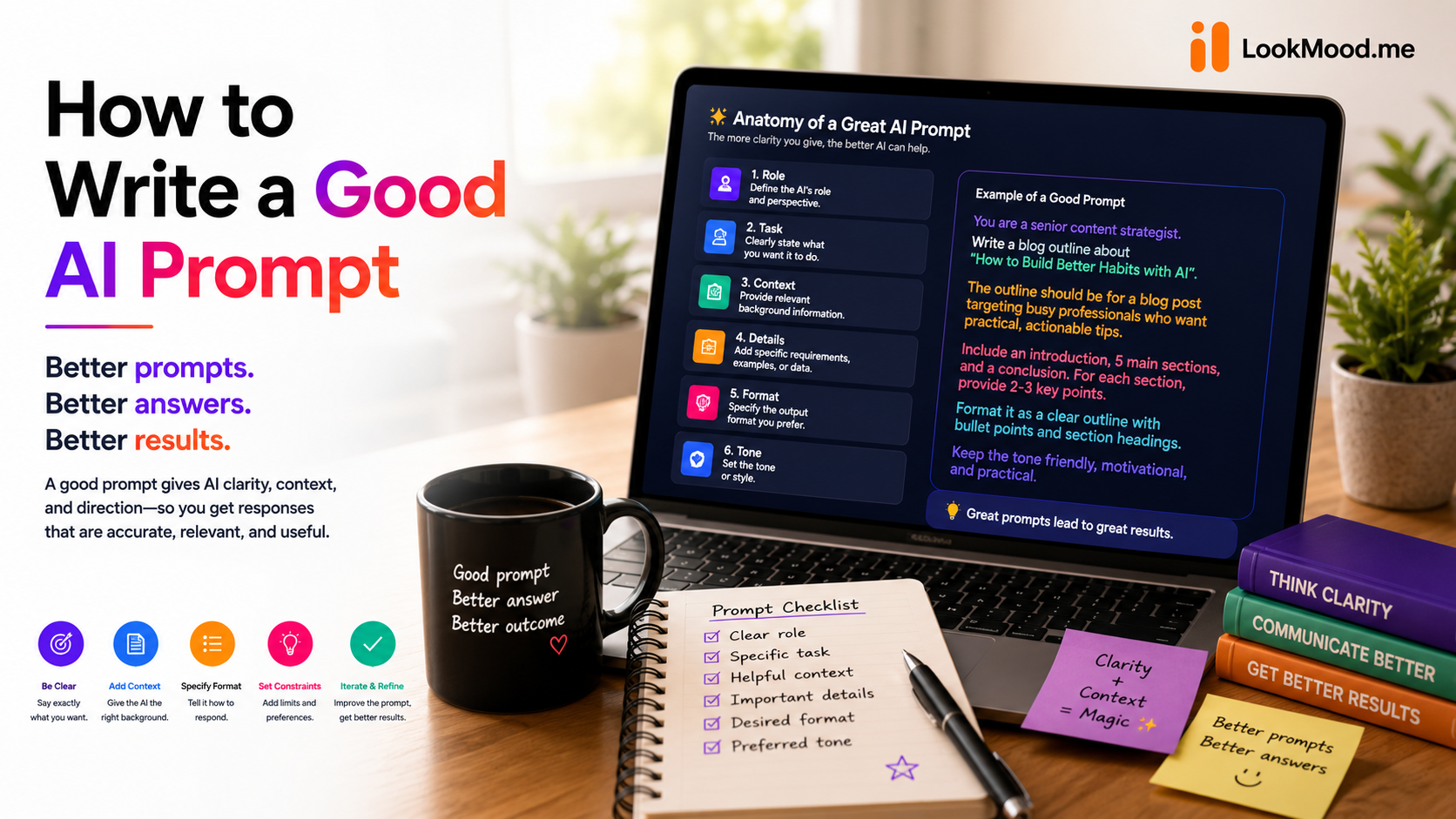
"Write me a blog post about marketing" gets you a generic blog post about marketing. Not because the AI isn't capable of better — because the prompt never told it who the post is for, what tone to use, how long it should be, or what a good version would actually contain. The model did exactly what it was asked. The ask just wasn't specific enough to produce something good.
This is the most common thing people get wrong about AI tools, and it's an easy mistake to make, because a vague prompt still gets you an answer. It just gets you a generic one, and generic is easy to mistake for "this is what the tool can do" instead of "this is what I gave it to work with."
What a weak prompt is actually missing
A prompt that produces a mediocre result is almost always missing one or more of four things. None of them are complicated, and once you see the pattern you can't unsee it.
- Role. Who should the AI be answering as? "Write about pricing strategy" gets a different, better answer from "Act as a SaaS pricing consultant" — the role tells the model which knowledge to draw on and which register to answer in.
- Context. What does it need to know about your specific situation? Not background for its own sake — the details that would actually change the answer. Company size, audience, constraint, prior attempt that didn't work.
- Constraints. What should it avoid, prioritize, or stay within? Length, tone, things that are off the table, a budget, a deadline. Constraints are what turn an open-ended answer into a usable one.
- Output format. What should the result look like? A table, a numbered list, three options with tradeoffs, a single paragraph. Left unspecified, the model guesses — and its guess is rarely the shape you actually needed.
Most prompts people write have one of these, occasionally two. A prompt with all four isn't long or complicated — it's just specific.
Before and after
Weak: "Write me a blog post about marketing."
Strong: "Act as a content strategist for a B2B SaaS company. Write a 800-word blog post arguing that most companies over-invest in paid ads and under-invest in content that ranks long-term. Audience is marketing managers at 20-100 person companies. Tone: direct, opinionated, no fluff. Include one concrete example. End with a single actionable takeaway, not a generic call to action."
Same topic. Completely different result — because the second version tells the model who it's writing as, who it's writing for, what the actual argument is, and what "done" looks like.
Weak: "Help me plan a birthday party."
Strong: "Act as an event planner. Plan a 30th birthday party for 20 guests, outdoor venue, $2,000 budget. Include a timeline from setup to cleanup, a food and drink plan that doesn't require a caterer, and three theme options with a one-line pitch for each. Format as a checklist I can act on this week."
The first version forces the AI to guess at a budget, a guest count, and a format — and it will guess, confidently, because that's what these tools do when you leave a gap. The second version leaves nothing to guess.
A quick way to check your own prompt
Before you send a prompt, glance at it and ask which of the four it's missing:
- Did I say who the AI should be answering as?
- Did I give it the specific context that would actually change the answer?
- Did I set any constraints — length, tone, what to avoid?
- Did I say what the output should look like?
If the answer to two or more of those is no, that's exactly where the prompt is going to fail — not because the model is weak, but because it's filling those gaps with a guess instead of your actual intent.
When it's worth automating this
You can hold this checklist in your head, and after enough practice you will — most people who use AI tools daily eventually write this way without thinking about it. But if you're starting from a rough idea and don't want to build the structure by hand every time, that's exactly what LookMood AI's Prompt Generator does. Describe what you're trying to get done, however roughly, and it fills in the role, context, constraints, and format for you — and shows you what it added and why, so the pattern actually sticks instead of just borrowing the result.
It works the other way too: paste a prompt that isn't giving you what you want, and it'll rewrite it and point out specifically what was missing from your four.
The takeaway
Almost every complaint about AI giving generic, unhelpful, or shallow answers traces back to one of these four gaps, not to a limitation in the model. Role, context, constraints, format — that's the whole structure. Once a prompt has all four, the quality gap between a "good" AI tool and a "bad" one mostly disappears, because the tool finally has enough to work with.
Try it on your own rough idea: the Prompt Generator is free, no signup needed.
If the prompt you're building is for debugging code specifically rather than writing or planning, this breakdown of what makes an AI debugging tool actually investigate instead of guess covers the same structure applied to a harder case.